How to Play Mini Crossword
Rules, controls, and practical solving strategies for Mini Crossword.
What Mini Crossword Is
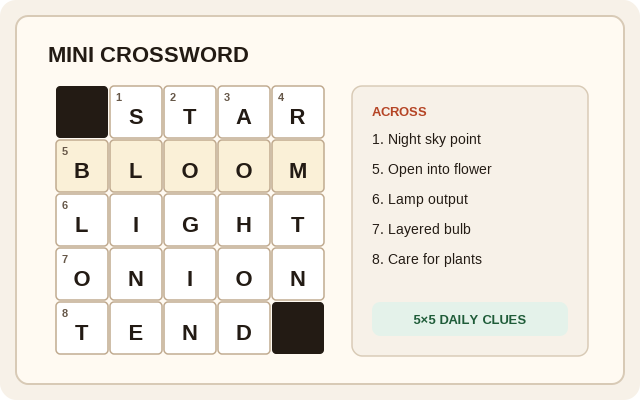
Mini Crossword distills the classic newspaper crossword into a tight 5×5 grid you can finish in just a few minutes. Instead of sprawling over dozens of obscure references, every board features ten intersecting three-letter and five-letter everyday English words. Each clue is written to feel fair, clear, and rewarding when two crossing letters click an answer into place.
You can switch between eight verified Mini Crossword editions directly in the top selector. A live timer starts as soon as a board opens, making it easy to enjoy a relaxed morning solve or challenge your own personal speed record.
How to Play Mini Crossword
- Click or tap any white square to focus it. The active word highlights in warm gold, and its clue appears in the banner directly above the grid.
- Switch between Across and Down by clicking the active square a second time, pressing the Spacebar, or clicking any clue in the Across and Down lists.
- Type letters using your physical keyboard or the built-in mobile keypad on smaller screens. The cursor advances cleanly through the word as you type.
- Move around the grid using Arrow keys, Backspace to erase, or by tapping any new square.
- Use Check, Reveal Letter, or Clear from the toolbar whenever you want to verify your work or nudge past a stubborn crossing.
Tips for Solving Faster
Start with the shortest clues first. Three-letter entries at the top, bottom, and sides often unlock the first or last letter of three different five-letter crossing words at once. Filling two easy short words gives you a strong skeleton across the middle of the board.
Cross-check immediately on plurals and verb tenses. If an Across clue hints at a plural noun, test an S in the final square and verify whether the Down clue supports it. Matching grammatical tense between clue and answer quickly resolves ambiguous guesses.
Don't stare at one clue too long. If a five-letter word doesn't jump out within five seconds, switch direction and solve its crossings. Even one confirmed vowel in the middle of a five-letter row narrows the possibilities dramatically.
Use Check before Reveal. Pressing Check highlights any incorrect filled squares in brick red while keeping right letters green, letting you rethink the intersection yourself before revealing a letter.
Desktop and Mobile Controls
On a laptop or desktop, typing flows directly from your keyboard, with Spacebar toggling Across/Down and Arrow keys jumping across squares. On phones and tablets, a compact on-screen A–Z keypad appears beneath the clues so your device keyboard never covers the puzzle board.